
Dockerfile comments use # at the start of a line. That's the simple part. The catch is that Dockerfiles don't support inline comments, line continuation doesn't extend a comment to the next line, and # lines at the very top of the file get a special meaning you might not want.
This article covers the comment syntax, the multi-line patterns that actually work, why RUN echo hello # this fails doesn't behave like a shell script, and how parser directives like # syntax=docker/dockerfile:1 differ from regular comments.
The basic syntax
A comment is any line where # is the first non-whitespace character:
12345# Build the API serviceFROM python:3.14-slim# Install runtime dependenciesRUN pip install --no-cache-dir requests
BuildKit strips comment lines before any instruction runs, so they have zero effect on the resulting image, layer count, or build cache. You can add as many comments as you want without paying for them.
Leading whitespace before # is allowed but discouraged. Both of these are treated identically by the parser:
12# comment with no indent# comment with leading whitespace
Stick with no indent for consistency, since Dockerfile instructions themselves aren't indented either.
Multi-line comments
Dockerfile has no /* */ equivalent. To write a comment that spans several lines, stack multiple # lines:
1234# Build stage: compile the Go binary with static linking# so we can copy it into a scratch base image in the next# stage. CGO is disabled to keep the binary self-contained.FROM golang:1.26 AS build
The important rule: line continuation with \ doesn't extend a comment. This breaks the build rather than producing a two-line comment:
12# This comment does NOT continue \to the next line
BuildKit parses the second line on its own and tries to match it against the list of valid Dockerfile instructions. to isn't one of them, so the build fails with a parse error and you're left wondering why a comment broke your build. Each comment line needs its own #.
Comments inside a multi-line RUN
You can interleave comment lines inside a RUN that uses \ for line continuation. BuildKit removes comment lines before the shell ever sees the command, so the && chain stays intact:
1234567RUN apt-get update \# Install only what we need at runtime&& apt-get install -y --no-install-recommends \ca-certificates \curl \# Clean apt caches so they don't bloat the layer&& rm -rf /var/lib/apt/lists/*
This is the cleanest way to annotate each step of a long install command without splitting it into multiple RUN instructions, which would each produce a separate layer. Reach for this pattern whenever your install commands get long enough that the person reading them six months from now won't remember why a specific flag is there.
Inline comments don't work
This is the most common Dockerfile comment mistake, and it's the one that costs people the most time because the error message rarely points at the comment. The # character only marks a comment when it's the first non-whitespace character on a line. Anywhere else, it's a literal argument to whatever instruction owns the line:
12FROM ubuntu:24.04 # this is NOT a commentCOPY app.py /app/ # neither is this
In both lines, BuildKit appends # this is NOT a comment to the instruction's argument list. FROM rejects the extra tokens with a parse error, and COPY interprets them as additional source paths, which the build can't find.
The one place inline # appears to work is inside a shell-form RUN, because the shell itself strips its own comments after BuildKit hands the line over:
1RUN echo hello # works only because /bin/sh strips the trailing comment
Don't rely on this. It's the shell doing you a favor, not Dockerfile syntax, and the trick doesn't work at all in the exec form (RUN ["echo", "hello"]), where no shell is involved to strip the #. Always put the comment on its own line above the instruction it describes.
Parser directives look like comments but aren't
Lines like # syntax=docker/dockerfile:1 look identical to comments but are parser directives that change how BuildKit interprets the rest of the file. The recognized directives are syntax (selects the Dockerfile frontend version), escape (changes the escape character from \ to something else, almost always backtick on Windows so you can write paths like C:\app\bin without escaping every separator), and check (configures Dockerfile build-checks, for example # check=skip=JSONArgsRecommended to suppress a specific lint or # check=error=true to turn warnings into errors).
The rule that trips people up: parser directives only work when they're the very first thing in the file. Once BuildKit processes a comment, blank line, or instruction, it stops looking for directives, and any later # directive=value line becomes a plain comment.
123# Build the API service# syntax=docker/dockerfile:1FROM alpine:3.20
Here the # syntax=... line is treated as a regular comment because BuildKit already saw the comment on the line above it. The silent downgrade is genuinely bad UX. Your directive does nothing, BuildKit doesn't warn you, and you only notice when a feature you expected from a newer frontend version isn't there. The fix is to put the directive at the very top:
12345# syntax=docker/dockerfile:1# escape=`# Build the API serviceFROM alpine:3.20
Directive keys are case-insensitive but values are case-sensitive, and a single directive can only be used once. The convention is lowercase keys followed by a blank line before the first instruction or regular comment. See the Docker reference for the full list.
Final thoughts
Four rules cover almost every Dockerfile comment situation. A line is only a comment when # is the first non-whitespace character on it. Line continuation with \ doesn't extend a comment to the next line, so each line needs its own #. Inside a multi-line RUN, you can interleave # lines between && chains and BuildKit will strip them before the shell sees them. And parser directives like # syntax=... only work when they're the very first thing in the file, before any comment, blank line, or instruction.
Get those right and your Dockerfiles will be readable to the next person who has to debug them, without breaking builds in the process.
Comments help reviewers during builds, but they stop helping the moment your container starts running. Crashes, memory leaks, slow startup, and noisy logs all live at runtime, where build comments can't reach.
Dash0 is the OTel-native observability platform. Your built containers emit OpenTelemetry signals that Dash0 unifies into logs, distributed traces, and infrastructure metrics, so you can see exactly what the image you just commented actually does in production.
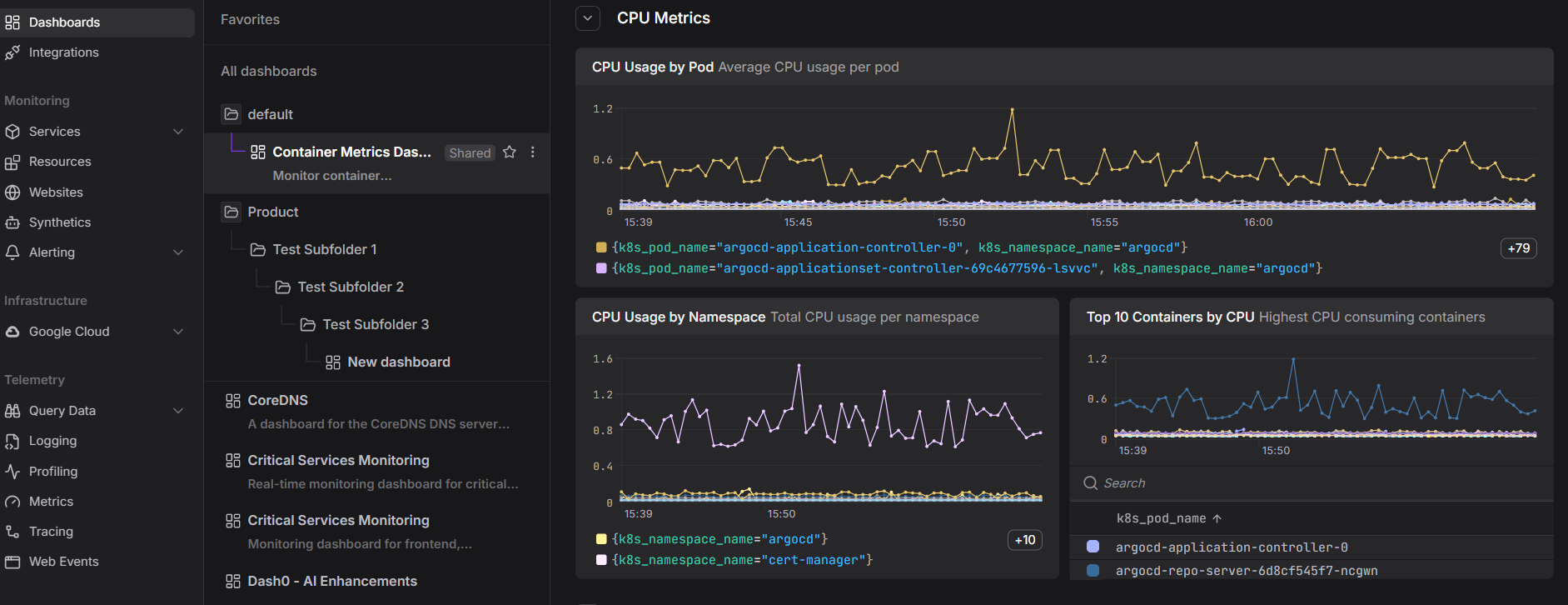 Start a free trial to monitor your containers, pods, and clusters in one view. No credit card required.