
- 6 min read
How to Check Your Kubernetes Version
Knowing which version of Kubernetes you're running matters more than it might
seem. Version mismatches between kubectl and the cluster API server cause
subtle bugs, and you can't plan an upgrade if you don't know your starting
point.
There are a few different "versions" at play in any Kubernetes environment, and
they don't always match. Your local kubectl binary has its own version, the
cluster control plane runs another, and each node in the cluster can be running
yet another. This article covers how to check all three.
Check the cluster and kubectl version
Run kubectl version from any machine that has kubectl configured to talk to
your cluster:
kubectl versionYou'll see output like this:
Client Version: v1.35.3
Kustomize Version: v5.7.1
Server Version: v1.34.3- Client Version is the version of
kubectlinstalled on your local machine. - Kustomize Version is the version of Kustomize
embedded inside your
kubectlbinary. Kustomize is a configuration management tool that ships bundled withkubectlsince v1.14 and powers thekubectl apply -kandkubectl kustomizecommands. The embedded version often lags behind the standalone Kustomize release, so if you depend on newer Kustomize features, you may want to install it separately. - Server Version is the Kubernetes API server version running on the cluster's control plane. These two numbers are the ones you'll check most often.
If you only need the kubectl version and don't have access to a cluster (or
don't want to wait for a connection timeout), use the --client flag:
kubectl version --client For scripting or automation, the structured output formats are more useful than
the default text. Use
For scripting or automation, the structured output formats are more useful than
the default text. Use -o json or -o yaml to get machine-parseable output:
kubectl version -o json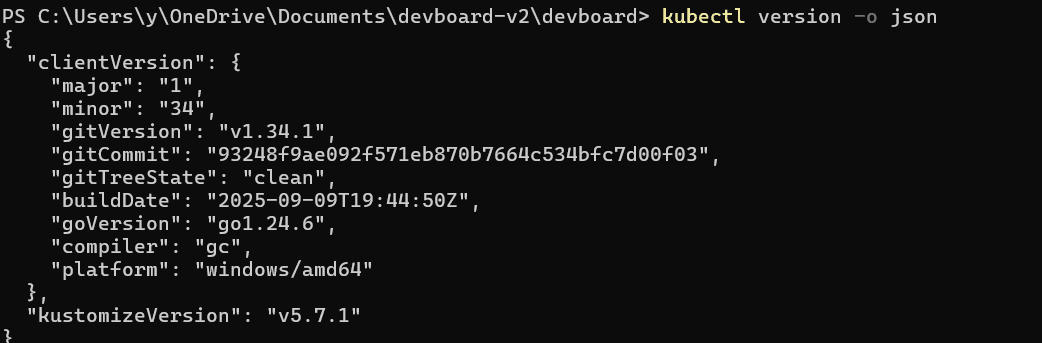 This is particularly handy when you need to extract the version
programmatically, for example in a CI pipeline gate that verifies cluster
compatibility before deploying:
This is particularly handy when you need to extract the version
programmatically, for example in a CI pipeline gate that verifies cluster
compatibility before deploying:
kubectl version -o json \
| jq -r '.serverVersion.gitVersion'v1.34.6Check the Kubernetes version on each node
In clusters with multiple nodes, individual nodes can be running different kubelet versions, especially during a rolling upgrade. To see what each node is running:
kubectl get nodesNAME STATUS ROLES AGE VERSION
node-01 Ready control-plane 90d v1.34.6
node-02 Ready <none> 90d v1.34.6
node-03 Ready <none> 45d v1.34.4The VERSION column shows the kubelet version on each node. In the output
above, node-03 is slightly behind on patches. This is common after adding a
new node from a slightly older image, and is normally fine since patch versions
within the same minor release are compatible.
If you want just the version numbers in a clean list (useful for quick auditing), you can use a JSONPath expression:
kubectl get nodes \
-o jsonpath='{range .items[*]}{.metadata.name}{"\t"}{.status.nodeInfo.kubeletVersion}{"\n"}{end}'node-01 v1.34.6
node-02 v1.34.6
node-03 v1.34.4Check the version on managed Kubernetes services
If you're running a managed Kubernetes service like EKS, GKE, or AKS, the
provider's CLI tool can also report your cluster version. This is useful when
you're managing multiple clusters and want a quick inventory without switching
kubectl contexts.
On AWS EKS:
aws eks describe-cluster \
  --name my-cluster \
  --query "cluster.version" \
  --output text
On Google GKE:
gcloud container clusters describe my-cluster \
  --zone us-central1-a \
  --format="value(currentMasterVersion)"
On Azure AKS:
az aks show \
  --resource-group my-rg \
  --name my-cluster \
  --query kubernetesVersion \
  --output tsv
These commands query the cloud provider's API directly, so they work even if
your local kubectl isn't configured for that specific cluster.
When the client and server versions don't match
It's normal for the kubectl client version and the cluster server version to
differ by a minor version. Kubernetes
officially supports
kubectl within one minor version of the API server in either direction. So if
your cluster runs v1.34, kubectl versions v1.33 through v1.35 are all
supported.
Outside that window, things can break in ways that are hard to diagnose. A
kubectl version that's too new might send API requests using fields the server
doesn't understand, resulting in silent failures or unexpected results. A
kubectl version that's too old might not support resources or features that
your cluster offers, and you'll get confusing error messages about unknown
resource types.
If you see a version mismatch that's wider than one minor version, update
kubectl before doing anything else. On most systems this is straightforward:
# macOS (Homebrew)
brew upgrade kubectl

# Linux (curl from official release)
curl -LO "https://dl.k8s.io/release/$(curl -sL \
  https://dl.k8s.io/release/stable.txt)/bin/linux/amd64/kubectl"
sudo install -o root -g root -m 0755 kubectl \
  /usr/local/bin/kubectl
Watch out for
A lot of articles and Stack Overflow answers still recommend
kubectl version --short for concise output. That flag was deprecated in
Kubernetes v1.26 and removed entirely in v1.28.
If you're running a current kubectl, using --short will return an error:
unknown flag: --short. The default output of kubectl version without any
flags now gives you the same concise format that --short used to provide, so
there's no need for a replacement.
Another thing worth knowing: kubectl get nodes shows the kubelet version, not
the container runtime version. If you need to check whether your nodes are
running containerd, CRI-O, or something else, use:
kubectl get nodes \
-o jsonpath='{range .items[*]}{.metadata.name}{"\t"}{.status.nodeInfo.containerRuntimeVersion}{"\n"}{end}'node-01 containerd://1.7.27
node-02 containerd://1.7.27
node-03 containerd://1.7.25This can matter during troubleshooting, since container runtime behavior varies between versions, particularly around image pulling and resource enforcement.
Final thoughts
Checking your Kubernetes version is typically the first step before planning an upgrade or debugging a compatibility issue. If you're managing multiple clusters, it's worth tracking version drift automatically rather than running these commands manually.
Dash0's Kubernetes monitoring
surfaces cluster and node versions alongside resource metrics, pod health, logs,
and
distributed traces,
so you can spot version inconsistencies and diagnose issues from a single place
without SSH-ing into individual nodes.
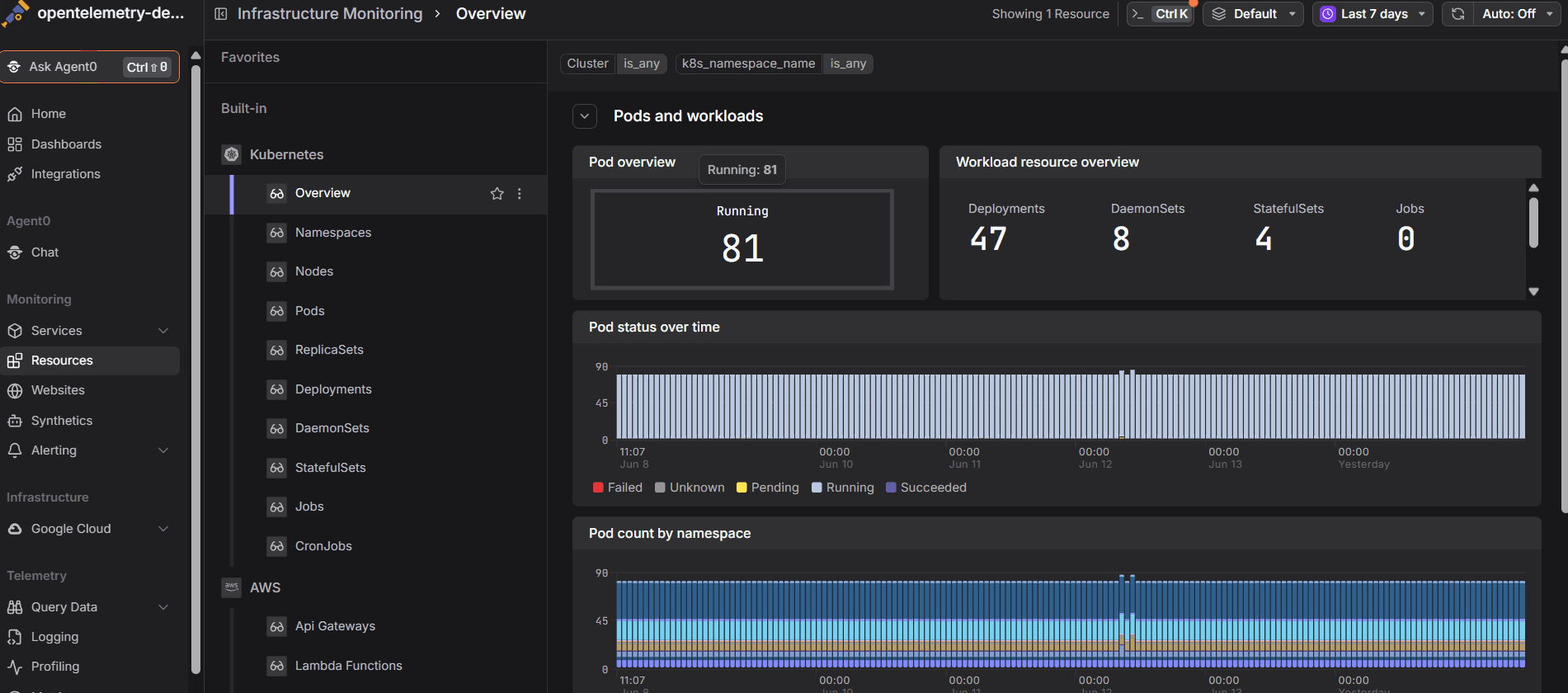 Start a free trial today to see how easy
Kubernetes monitoring can be.
Start a free trial today to see how easy
Kubernetes monitoring can be.