
Last updated: March 11, 2026
Adaptive Sampling
Adaptive Sampling intelligently samples telemetry data during queries to maintain fast performance when exploring large datasets, while providing statistically representative results.
Key Responsibilities
- Maintain fast query performance when exploring large telemetry datasets
- Ensure queries complete quickly regardless of data volume
- Keep the Dash0 UI responsive when viewing months of data
- Provide meaningful insights from your telemetry data
What is Adaptive Sampling?
Adaptive Sampling ensures Dash0 queries remain fast when exploring large volumes of logs, traces, and metrics. When you query data in the Dash0 UI, sampling is automatically applied when needed to maintain responsive performance.
All your telemetry data is stored and available. Adaptive Sampling only affects how queries are executed, not what data is kept.
When You'll See It
The Dash0 UI displays an indicator when Adaptive Sampling is active:

This indicator shows you that sampling is helping keep your query fast while exploring your data.
Precision Mode
For specific workflows where you need to analyze filtered datasets in detail, you can adjust sampling settings:
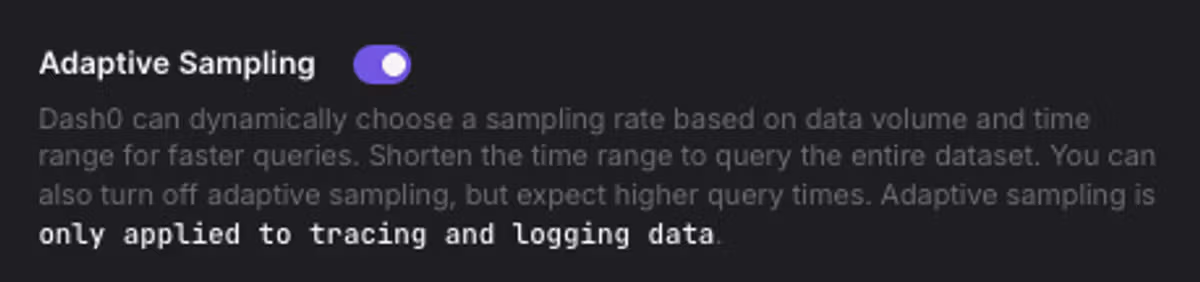
Use this when working with focused, filtered queries where query time is less critical than having full visibility into the filtered results.
Metrics and Time Ranges
For metrics, Adaptive Sampling automatically adjusts data granularity based on your selected time range to ensure charts render quickly while showing meaningful trends.
The UI indicates when data granularity has been adjusted for your selected time range.
Best Practices
Apply filters to focus your queries: Filtering by service, namespace, or other attributes helps you focus on relevant data and improves query performance.
Use appropriate time ranges: Select time ranges that match your investigation needs. Narrower ranges for detailed analysis, broader ranges for trend exploration.