The starting point for modern debugging is rarely an observability tool. Instead, it is an issue: a failing deployment, a customer complaint, or a performance regression identified by your team.
The investigation might start in project management tools, moving to logs, traces, and metrics only as a later step.
We are now bridging this gap.
Introducing the Linear Integration for Agent0, we are directly connecting issue tracking with observability work.

The Link Between Issues and Investigation
Engineering teams constantly switch between tools:
- Issues live in Linear
- Telemetry lives in observability platforms
- Context lives in people’s heads
With Linear integration, Agent0 becomes the bridge between project context and system behavior.
Instead of manually copying links, timestamps, or customer support requests, Agent0 can now understand your Linear workspace and use that context directly during investigations.
Observability, Now Aware of Your Work
When connected, Agent0 can reference your Linear workspace in read-only mode, understanding issues, projects, and responsible teams.
This allows Agent0 to reason about problems using real development context without modifying or creating issues.
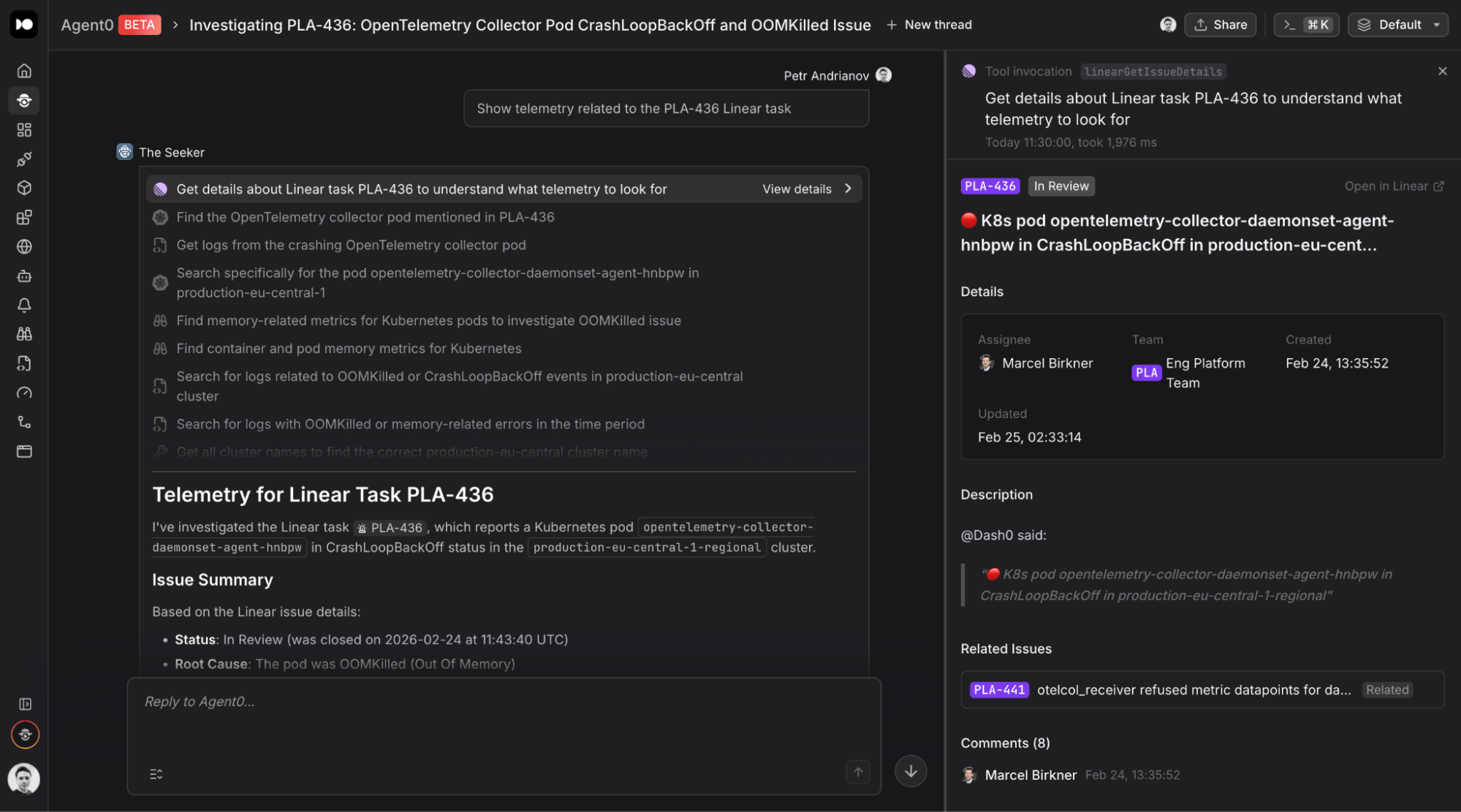
Debugging Directly from Linear
The integration works both ways. You don’t need to leave Linear to start an investigation. Simply mention @Dash0 inside an issue or comment.
When invoked:
- Linear sends a webhook event to Dash0
- Dash0 authenticates the requesting user
- A secure Agent0 investigation session is created
- Agent0 analyzes the request using observability data
- Results stream back into Linear as agent activities
You can follow the investigation live including tool execution steps and reasoning progress.
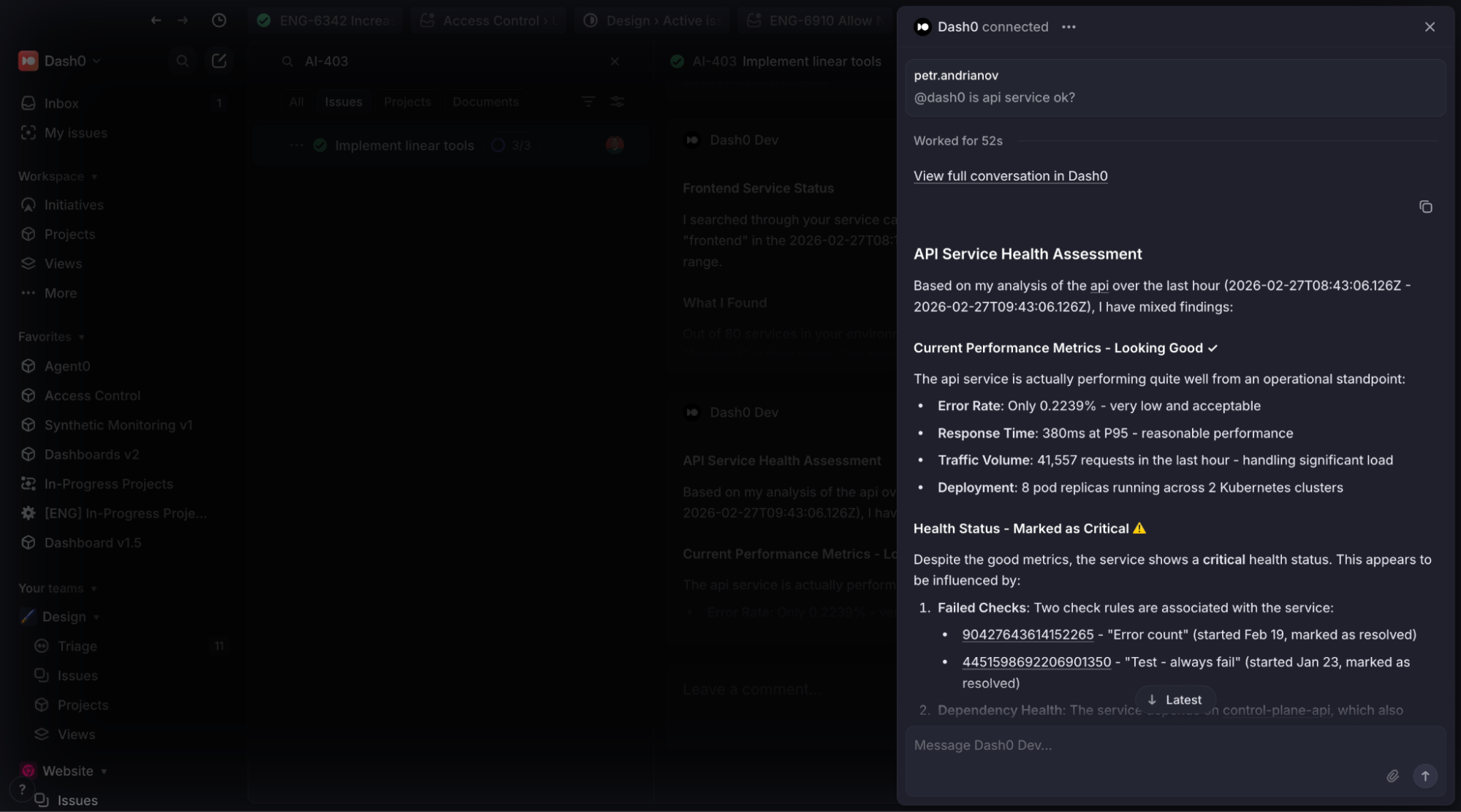
Issue → Investigation → Resolution
Agent0 responses posted back into Linear include:
- Structured investigation summaries
- Observability insights
- Execution traces of Agent0 tools
- Deep links to the full investigation in Dash0
These links reopen the conversation inside Dash0 with full context preserved:
- organization
- dataset
- investigation history
This means you can seamlessly move from discussion to deep debugging without rebuilding context.
Designed for Real Engineering Workflows
Linear integration enables workflows like:
- Investigating incidents directly from issues
- Understanding failures without switching tools
- Connecting ownership with runtime behavior
- Continuing investigations collaboratively
- Preserving debugging context across teams
Instead of observability being a separate destination, it becomes part of how work already happens.
Agentic Observability in Practice
Agent0 represents a shift toward agentic observability, where investigations begin from intent rather than dashboards.
Issues describe problems in human terms, telemetry explains them in system terms. Agent0 connects the two.
Linear integration is another step toward making observability feel less like tooling and more like collaboration between developers and intelligent systems.
Getting Started
You can enable the Linear integration from the Organization Settings → Integrations → Add → Linear section in Dash0.
Once connected, mention @Dash0 in any Linear issue to start your first investigation.